
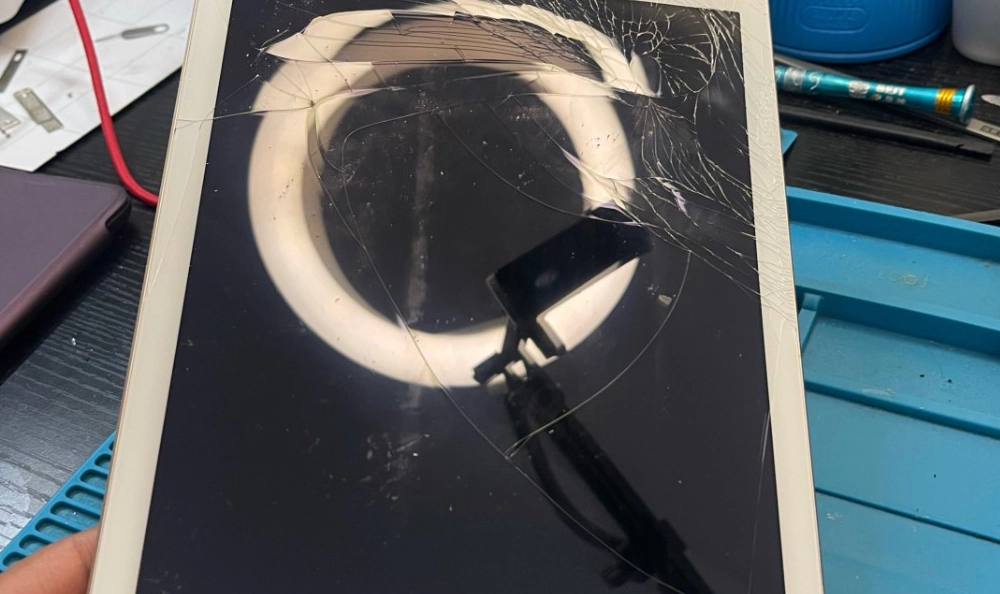
If you’ve cracked the screen on an iPad Pro, you’ve probably already discovered one thing very quickly: This is not the same repair as a standard iPad.
At Hillside Phone Repairs, we see iPad Pro screen damage almost every week, and while the symptoms might look simple (cracks, black spots, touch issues), what’s happening underneath the glass is far more complex than most people realise.
In this article, we’ll explain why iPad Pro screen repairs are more involved, what actually breaks when the device is dropped, and why a professional repair is critical to protecting both your device and your investment.
The iPad Pro’s advanced technology and premium build quality mean that any damage to the screen can impact multiple layers and components, not just the glass surface. Unlike older or less sophisticated models, the iPad Pro integrates the touch sensor, display panel, and glass into a single laminated assembly. This design enhances the device’s display quality and responsiveness but also complicates repairs significantly.
Furthermore, the iPad Pro features sensitive components such as Face ID sensors and True Tone technology embedded within the screen assembly. Damage or improper handling during repair can lead to loss of these functionalities, which are difficult and costly to restore. This is why professional repair services, like those offered at Hillside Phone Repairs, are essential. Our technicians have the expertise and specialised tools required to carefully dismantle and replace the screen without compromising these critical features.
Additionally, the structural integrity of the iPad Pro’s chassis plays a crucial role in the success of a screen replacement. Even minor bending or warping of the frame caused by drops or impacts can prevent a new screen from fitting correctly, leading to further damage or premature failure. At Hillside Phone Repairs, we thoroughly assess and, if necessary, realign the device frame before installing a new screen to ensure a perfect fit and long-lasting repair.
Choosing a professional repair service also means you benefit from genuine or high-quality replacement parts, warranty coverage, and a guarantee of workmanship. This reduces the risk of recurring issues and helps maintain the value and performance of your iPad Pro over time.
In summary, while a cracked iPad Pro screen might seem like a straightforward fix, the complexity beneath the surface demands expert care. Trusting your screen repair to experienced professionals ensures your device is restored to its original condition, preserving both its functionality and your investment.
Why iPad Pro Screens Are Different
Unlike entry-level iPads, iPad Pro models use fully laminated display assemblies. That means:
- The glass, touch digitiser, and LCD or Mini-LED panel are bonded into a single unit
- There’s no air gap between layers
- Every component must be perfectly aligned during replacement
On standard iPads, the glass and LCD are often separate. On an iPad Pro, they are not.
This design gives you:
- Better display clarity
- Improved touch accuracy
- Thinner device profiles
But it also means screen repairs require significantly more precision, tooling, and experience.
The fully laminated design of the iPad Pro’s display assembly enhances the visual experience by reducing reflections and increasing brightness and contrast. This is particularly noticeable on the newer iPad Pro models that use Mini-LED technology, which offers superior colour accuracy and deeper blacks compared to traditional LCDs. However, this advanced integration also means that any damage to the screen typically affects all layers simultaneously, making repairs more complex and costly.
Moreover, the repair process demands specialised tools and techniques to carefully separate the bonded layers without causing further damage. Technicians must work meticulously to avoid harming delicate components such as the touch digitiser and display panel, as even minor errors can result in permanent malfunctions. This complexity is why DIY repairs or low-quality third-party services often lead to incomplete fixes or additional issues.
Another important aspect is that the repair must maintain the factory calibration of the display and touch sensors. Any misalignment can lead to problems like reduced touch responsiveness, colour inaccuracies, or loss of features like True Tone and Face ID. Therefore, professional repair services invest in precision equipment and follow strict quality control procedures to ensure the restored screen functions flawlessly.
In summary, while the laminated display assembly contributes to the iPad Pro’s premium look and feel, it also significantly raises the bar for repair quality and expertise, making professional service the best choice for maintaining your device’s performance and longevity.
Common iPad Pro Screen Damage We See
Not all screen damage looks the same, and not all damage is visible.
At Hillside Phone Repairs, the most common iPad Pro screen issues include:
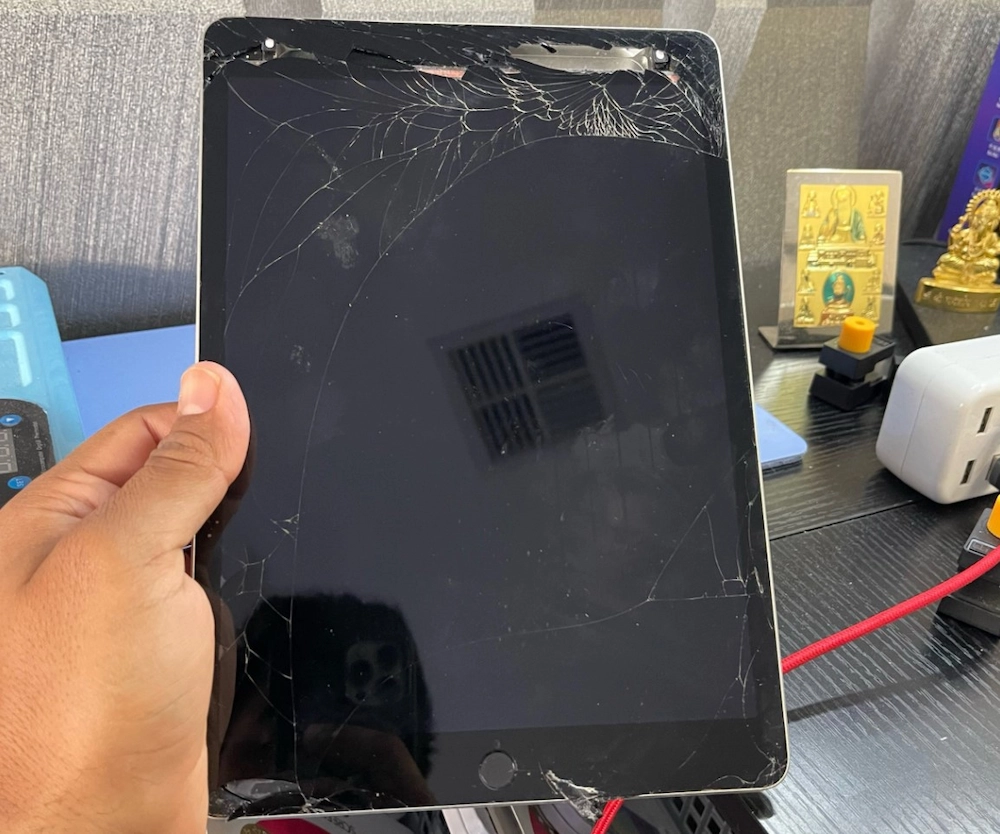
1. Cracked Glass (With Hidden Damage)
Even a small corner crack can:
- Compromise the laminated layers
- Spread stress across the entire display
- Lead to touch failure days or weeks later
What looks cosmetic is often structural.
Cracked glass on an iPad Pro is rarely just a superficial issue. Because the glass is bonded directly to the underlying display layers, even a minor crack can cause unseen damage beneath the surface. This hidden damage may not be immediately obvious but can worsen over time, affecting the display’s responsiveness and clarity. Ignoring a small crack can lead to more extensive and costly repairs down the line, as stress fractures propagate through the laminated assembly.
2. Black Spots, Lines, or Flickering
These symptoms usually indicate:
- LCD or Mini-LED panel damage
- Pressure points from internal frame distortion
- Impact shock travelling beyond the glass
Once the display panel itself is damaged, partial repairs are not possible.
When you notice black spots, lines, or flickering on your iPad Pro screen, it’s a clear sign that the underlying display panel has suffered damage. This damage can be caused by direct impact or by pressure from a bent or warped frame. Unlike glass cracks, these issues affect the pixels and lighting of the display, leading to permanent blemishes or erratic behavior. Because the iPad Pro’s screen is a fully integrated unit, the entire display assembly must be replaced to restore proper function.
3. Touch Not Responding or “Ghost Touch”
This is common on:
- iPad Pro 11”
- iPad Pro 12.9” (especially newer M1/M2 models)
Causes include:
- Micro-tears in digitiser flex cables
- Delamination between layers
- Connector damage from impact or DIY attempts
Touch issues such as unresponsiveness or ghost touches occur when the digitiser—the layer responsible for detecting touch—suffers damage. This can happen through flex cable micro-tears, which may not be visible externally but disrupt the electrical signals. Delamination, or separation between the bonded layers, can also interfere with touch sensitivity. DIY repair attempts often cause connector damage, compounding the problem. Addressing these issues requires expert diagnosis and precision repair to ensure the touch functions are fully restored.
Expanding further, it’s important to understand that these three common damage types often coexist. A cracked screen may also have underlying LCD damage or touch sensor issues. That’s why a thorough assessment by a professional repair technician is essential. They will use specialised diagnostic tools to identify all affected components and recommend the appropriate repair or replacement strategy.
Additionally, the iPad Pro’s advanced display technology means that the repair process must preserve features like True Tone colour calibration and Face ID functionality. Damage to sensors embedded in the screen assembly can cause these features to malfunction, which is why only experienced technicians with the right tools should perform repairs.
In summary, while the visible damage might seem minor, the complexity beneath the surface of an iPad Pro screen demands careful attention. Prompt professional repair not only restores your device’s appearance but also ensures its full functionality and longevity.
Why iPad Pro Screen Repairs Cost More
Many customers ask this, and it’s a fair question.
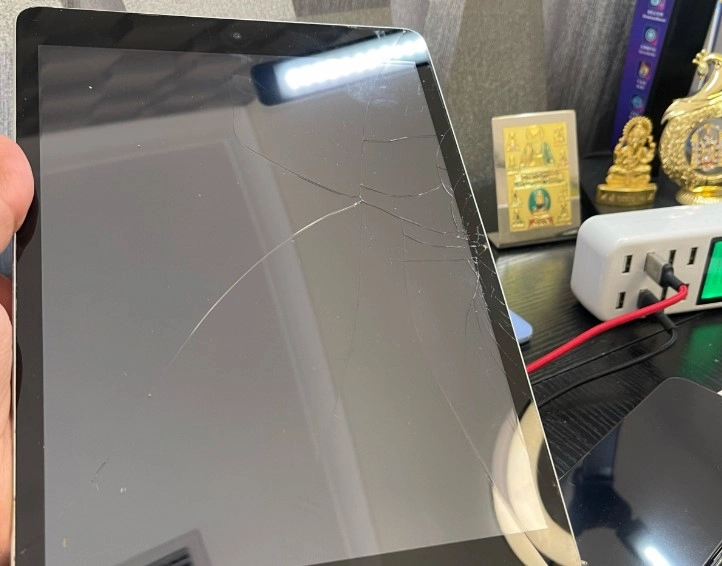
1. The Screen Is a Single High-Value Component
Because the screen is fully laminated:
- You’re replacing the entire display assembly
- There’s no “glass-only” shortcut without compromising quality
These assemblies are expensive, especially on 12.9” Mini-LED models.
This means that even a minor crack or damage to the glass layer necessitates a full screen replacement. Unlike some older or less advanced iPad models, where just the outer glass can be replaced, the iPad Pro’s integrated design requires swapping out the entire display unit, which includes the glass, touch digitiser, and LCD or Mini-LED panel. This contributes significantly to the higher cost and complexity of repair.
2. Precision Labour Is Required
A proper iPad Pro screen replacement involves:
- Controlled heat separation
- Careful removal to avoid Face ID or sensor damage
- Micron-level alignment during installation
One mistake can permanently damage the device.
The repair process demands highly skilled technicians who use specialised tools to gently separate the bonded layers without harming sensitive components. The Face ID sensors and True Tone calibration rely on precise positioning and data pairing, so any misalignment or damage can lead to permanent loss of functionality. This precision work takes time and expertise, which is reflected in the cost.
3. Risk Management Matters
Cheaper repairs often fail because:
- Frames are slightly bent but not corrected
- Low-quality screens are used
- Sensors aren’t recalibrated properly
Ignoring these factors can lead to recurring problems such as screen lifting, touch issues, or loss of advanced display features. At Hillside Phone Repairs, we carefully assess and correct any frame distortions before installing a new screen, use only high-quality replacement parts, and perform sensor recalibration to ensure your iPad Pro works like new.
Proper risk management during repair not only protects your device but also extends its lifespan, preventing costly follow-up repairs. This attention to detail is crucial given the investment you’ve made in your iPad Pro.
At Hillside Phone Repairs, we factor risk, longevity, and device integrity into every repair, not just “getting the screen on”.

Face ID, Sensors & Why Experience Matters
iPad Pro models contain delicate components embedded in the screen area, including:
- Face ID sensors
- Ambient light sensors
- Proximity and True Tone functionality
Incorrect handling can result in:
- Permanent Face ID failure
- Loss of True Tone
- Display calibration issues
These are not software problems; they’re physical alignment and data pairing issues that require trained technicians.
The Hidden Issue: Frame Micro-Bending
One of the most overlooked problems we see is frame distortion.
Even minor drops can:
- Slightly twist the aluminium chassis
- Prevent a new screen from seating correctly
- Cause pressure points that crack replacement screens later
Before installing a new display, we inspect and correct frame alignment, a step many low-cost repairers skip.
Why These Components Matter
The Face ID sensors embedded in the iPad Pro screen assembly are essential for secure facial recognition and device unlocking. Damage or misalignment during screen replacement can render Face ID unusable, which significantly impacts user experience and device security. Similarly, ambient light sensors and True Tone technology adjust the display’s colour temperature and brightness based on surrounding light conditions, providing a comfortable and natural viewing experience. Losing these functions due to improper repair can lead to eye strain and diminished display quality.
Complex Calibration Requirements
After replacing the screen, it’s not enough to simply install the new part. The device requires precise calibration to ensure that all sensors and display features function correctly. This includes pairing the new screen’s hardware with the device’s logic board and recalibrating sensors for accurate readings. Without this step, users may experience issues such as inaccurate brightness adjustments, colour inconsistencies, or even failure of the touch screen.
The Importance of Professional Tools and Expertise
Handling these delicate components demands specialised tools designed to safely separate and replace the laminated screen assembly without causing damage. Technicians must also have in-depth knowledge of the iPad Pro’s internal architecture to avoid damaging flex cables, connectors, or other internal components during disassembly and reassembly. This expertise ensures that the device maintains its original functionality and performance after repair.
Frame Realignment: A Critical Step Often Missed
The aluminium chassis of the iPad Pro provides structural support and ensures the screen fits perfectly. Even a slight bend or twist in the frame can cause uneven pressure on the screen assembly, leading to premature cracking or malfunction. Professional repair services include thorough inspection and correction of frame alignment before screen installation, which is crucial for the longevity of the repair.
In contrast, many low-cost or DIY repairs overlook this step, often resulting in recurring screen damage and additional repair costs. By addressing frame micro-bending, professional technicians help extend the life of your iPad Pro and maintain its premium build quality.
Summary
In essence, the iPad Pro’s screen repair is a delicate process involving much more than replacing broken glass. It requires careful handling of embedded sensors, precise calibration, and structural frame adjustments to ensure a fully functional and durable repair. Trusting experienced professionals who understand these complexities is the best way to protect your investment and keep your iPad Pro working flawlessly.
Why DIY iPad Pro Screen Repairs Usually Fail
We understand the temptation. iPad Pro screens look flat and simple, but internally, they are not.
DIY attempts often result in:
- Torn flex cables
- Overheated displays
- Dust trapped between layers
- Inconsistent adhesive bonding
In many cases, we see devices that are more expensive to repair after a DIY attempt than if they were brought in first.
Attempting a DIY repair might seem like a cost-saving option initially, but the intricate construction of the iPad Pro screen assembly makes it extremely challenging. The laminated layers require precise separation without damaging the delicate components beneath. Without the proper tools and experience, it’s easy to cause irreversible damage to the digitiser, LCD, or embedded sensors. Moreover, the adhesives used in factory assembly are specially formulated and applied under controlled conditions, which are difficult to replicate at home. This often leads to poor bonding, resulting in screen lifting or moisture ingress later on.
Additionally, the risk of electrostatic discharge (ESD) during DIY repairs can harm sensitive electronics inside the iPad Pro. Professional repair technicians use ESD-safe environments and equipment to mitigate this risk. Furthermore, calibration and software pairing after screen replacement are critical to restoring features like True Tone and Face ID, which DIY repairs typically cannot address.
What You’re Really Paying For
When you choose Hillside Phone Repairs for an iPad Pro screen replacement, you’re paying for:
- Correct diagnosis (not guesswork)
- High-quality replacement displays
- Sensor and display integrity
- Proper adhesive curing and alignment
- Long-term reliability
Your iPad Pro is a premium device. It deserves a repair approach that matches.
Beyond the physical repair, our technicians invest time in thorough diagnostics to identify all issues that might affect your device’s performance. We use genuine or high-grade replacement parts that match Apple’s standards to ensure your iPad Pro’s display looks and functions as intended. Our repair process includes meticulous adhesive application and curing under controlled conditions to guarantee a secure fit and prevent future problems.
Moreover, we perform essential calibrations and tests to restore your iPad Pro’s advanced features, such as True Tone colour accuracy and Face ID functionality, which are critical for a seamless user experience. Our warranty and service guarantee provide peace of mind, knowing your device is protected after repair.
Is iPad Pro Screen Repair Worth It?
In most cases — yes.
iPad Pro models retain strong resale and usage value, and screen replacement is often:
- Far cheaper than replacement
- Environmentally responsible
- A smart long-term decision
Especially when performed the first time correctly.
Choosing to repair your iPad Pro screen not only saves you money compared to purchasing a new device but also reduces electronic waste, contributing to environmental sustainability. With proper repair, your iPad Pro can continue to deliver high performance and reliability for years to come.
Moreover, a professionally repaired iPad Pro maintains its resale value better than one with visible damage or DIY fixes. This makes screen repair a practical investment, especially if you plan to sell or trade in your device in the future.
Remember, the key to maximising the benefits of screen repair is ensuring it’s done right the first time. Professional services like Hillside Phone Repairs provide the expertise and quality required to keep your device functioning perfectly and protect your investment over the long term.
Trust Hillside Phone Repairs With Your iPad Pro
We specialise in complex tablet repairs, including:
- iPad Pro 11” and 12.9”
- M1 and M2 models
- Laminated display systems
- Touch, display, and charging faults
If your iPad Pro screen is cracked, flickering, or not responding properly, bring it to Hillside Phone Repairs for an honest assessment and professional repair.
Book Your iPad Pro Screen Repair Today
Don’t risk your device with shortcuts. Get expert repair from technicians who understand what’s really inside your iPad Pro.