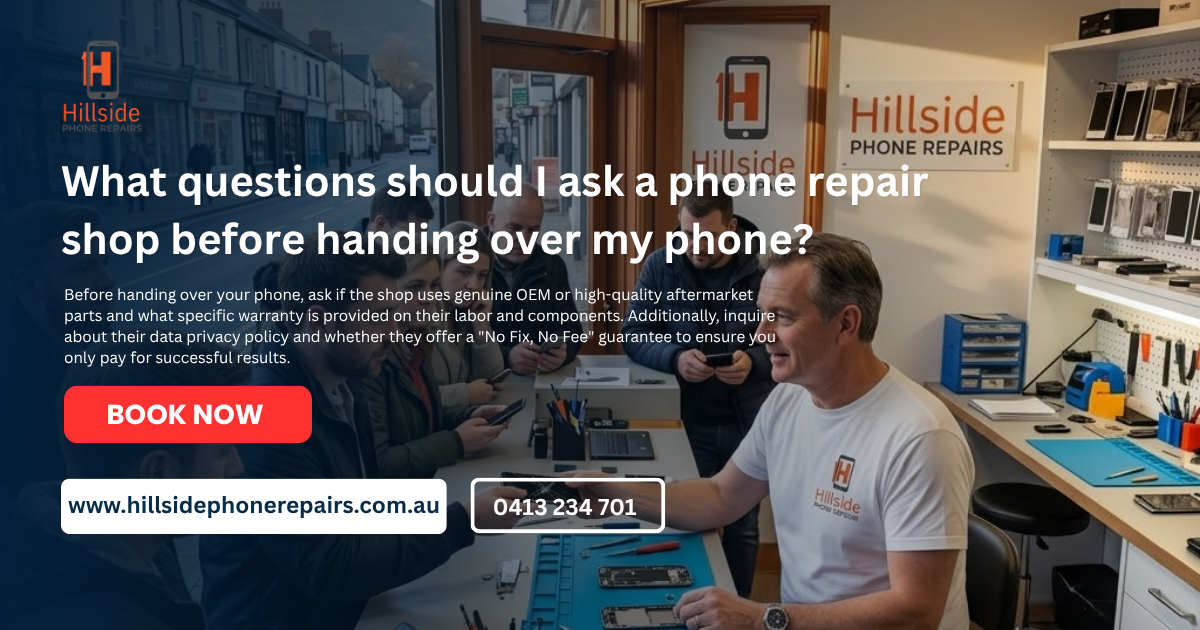
What questions should I ask a phone repair shop before handing over my phone? Before handing over your device, you must ask about part quality (OEM vs. Aftermarket), the specific warranty duration, and their data privacy policy. Crucially, confirm if they offer a “No Fix, No Charge” guarantee and whether they perform repairs on-site or ship devices to a third party.
Key Takeaways: Essential Pre-Repair Checklist
| Question Category | Ideal Answer | Why It Matters |
| Part Quality | “Premium Aftermarket” or “Refurbished OEM” | Ensures screen brightness and touch accuracy. |
| Warranty | 6 to 12 Months | Protects you against “dead pixels” or touch failure. |
| Data Safety | “No reset required for hardware fixes” | Prevents unnecessary loss of photos and apps. |
| Turnaround | “Same-day” or “Under 60 minutes” | Minimizes the time you are without a phone. |
| Success Rate | “No Fix, No Charge” | You shouldn’t pay for an unsuccessful attempt. |
What questions should I ask a phone repair shop before handing over my phone?
Handing over your smartphone is like handing over your digital life. It contains your bank apps, private photos, and work emails. To ensure your device—and your data—are in safe hands, you need to vet the technician thoroughly. If you are wondering what questions should I ask a phone repair shop before handing over my phone?, you are already ahead of most consumers.
In 2026, repair transparency is the gold standard. A reputable shop will welcome these questions as a sign of an informed customer. Here is the ultimate technical and operational checklist.
What kind of parts will you use for my repair?
This is the most critical technical question. As we’ve discussed in previous guides, the market is flooded with various grades of components.
- Ask for Specifics: Don’t settle for “it’s a good part.” Ask if it is OEM, Grade A Aftermarket, or Refurbished.
- The Hillside Standard: At Hillside Phone Repairs, we explain the difference between a budget-friendly aftermarket screen and a premium OLED replacement so you can make an informed choice based on your budget.
How long is the warranty and what does it cover?
A repair is only as good as the guarantee behind it.
- Duration: A reliable shop should offer at least 6 to 12 months. If they only offer 30 days, they likely use low-quality parts that are prone to failing shortly after installation.
- Coverage: Does it cover “ghost touching” (random screen movements)? Does it cover the battery if it stops holding a charge?
- Exclusions: Be aware that almost no warranty covers accidental damage (dropping it again) after you leave the shop.
Is my data safe and do I need to provide my passcode?
For most hardware repairs, like a screen or battery swap, a technician does not need your passcode.
- Privacy Protocols: Ask if they have a data privacy policy. A trustworthy technician will only ask for your passcode if they need to test specific software functions (like the camera or Wi-Fi) after a complex motherboard repair.
- The “Testing” Workaround: You can often test these features yourself in front of the technician upon pickup, keeping your passcode private.
Will you perform the repair on-site or send it away?
Many “collection points” in shopping centers don’t actually fix phones; they mail them to a central warehouse.
- On-Site Benefits: Choosing a local specialist like Hillside Phone Repairs means your phone stays in the building. This reduces the risk of loss in transit and ensures a much faster turnaround—often under 60 minutes.
- Transparency: If they send it away, ask who is actually doing the work and how your data is being secured during transport.
What is your ‘No Fix, No Charge’ policy?
Sometimes, a phone has underlying motherboard damage that isn’t apparent until the repair begins.
- The Fair Shake: You should never be charged the full labor rate for a device that remains broken.
- Diagnostic Fees: Some shops charge a small, flat diagnostic fee for the time spent investigating, which is fair. However, the bulk of the repair cost should only apply to a successful outcome.
How do you handle water resistance after opening the phone?
Once a phone is opened, the factory waterproof seal is broken.
- The Re-Sealing Process: Ask if the shop replaces the internal adhesive gasket.
- The Truth: Even with a new gasket, no repaired phone is 100% “waterproof” like it was from the factory. A reliable technician will be honest about this and advise you to keep the device away from water.
Conclusion: Knowledge is Power in Phone Repair
By knowing what questions should I ask a phone repair shop before handing over my phone?, you protect your wallet and your privacy. High-quality shops thrive on these questions because they highlight the difference between a professional and an amateur.
At Hillside Phone Repairs, we invite you to ask us anything. We believe in total transparency—from our parts sourcing to our technical processes.
Speak to a technician today: https://hillsidephonerepairs.com.au/
FAQ: Expert Conversational Answers
What to do before handing over a phone for repair?
Start by backing up all your data to the cloud or a computer so you don’t lose anything important. You should also remove your SIM card and any microSD cards, and if the screen is still functional, sign out of your find-my-phone services and accounts.
What to do before taking your phone to a repair shop?
Beyond a backup, it’s a good idea to charge your phone to at least 30% so the technician can test the repair. Also, write down your IMEI number and take a quick photo of the device’s physical condition just for your own records.
Why is Gen Z buying dumb phones?
Many younger users are opting for “dumb phones” to stage a digital detox and reduce screen time or social media fatigue. It’s a way to reclaim focus and simplify life by using a device that only handles the essentials like calling and texting.
Is it safe to give your phone to a repair shop?
Generally, it is safe if you use a reputable or certified shop, but there is always a small privacy risk. To stay protected, either factory reset the device or use a built-in “Repair Mode” if your phone has one, which hides your personal data from the technician.
Is 70% iPhone battery health bad?
Yes, 70% is considered significantly degraded; Apple typically recommends a replacement once it drops below 80%. At this level, you’ll likely notice the phone dying much faster, and it may even shut down unexpectedly during heavy tasks.
What to delete off phone when handing in for repairs?
If you aren’t doing a full factory reset, you should at least delete or log out of banking apps, digital wallets, and social media. It’s also wise to move sensitive photos or private documents to a secure, password-protected folder or a cloud drive before dropping it off.
Visit More Pages :
https://hillsidephonerepairs.com.au/iphone-water-damage-repair-in-hillside/
https://hillsidephonerepairs.com.au/iphone-speaker-mic-repair-in-hillside/
https://hillsidephonerepairs.com.au/iphone-screen-replacement-in-hillside/
https://hillsidephonerepairs.com.au/iphone-charging-port-repair-in-hillside/
https://hillsidephonerepairs.com.au/iphone-camera-repair-in-hillside/
https://hillsidephonerepairs.com.au/iphone-software-fix-in-hillside/
https://hillsidephonerepairs.com.au/iphone-battery-replacement-in-hillside/
https://hillsidephonerepairs.com.au/iphone-back-glass-repair-in-hillside/
https://hillsidephonerepairs.com.au/samsung-screen-replacement-in-hillside/
https://hillsidephonerepairs.com.au/samsung-battery-replacement-in-hillside/
https://hillsidephonerepairs.com.au/samsung-charging-port-repair-in-hillside/
https://hillsidephonerepairs.com.au/samsung-water-damage-repair-in-hillside/
https://hillsidephonerepairs.com.au/samsung-back-glass-repair-in-hillside/
https://hillsidephonerepairs.com.au/ipad-screen-repair-in-hillside/
https://hillsidephonerepairs.com.au/ipad-pro-screen-repair-in-hillside/
https://hillsidephonerepairs.com.au/samsung-galaxy-tab-repair-in-hillside/
https://hillsidephonerepairs.com.au/ipad-battery-replacement-in-hillside/
https://hillsidephonerepairs.com.au/ipad-charging-port-repair-in-hillside/